Evaluating the Watercolor Background Bundle for Professional Graphic Design
In the evolving landscape of digital design, the demand for authentic, hand-crafted aesthetics has never been higher. Clients and audiences alike are moving away from sterile, purely vector-based graphics toward visuals that convey warmth, texture, and human touch. This shift has made resources like the Watercolor Background Bundle increasingly valuable for designers, hobbyists, and small business owners. However, integrating pre-made assets into a professional workflow requires a clear understanding of what these bundles offer, how they compare to creating art from scratch, and where they fit best within a broader design strategy.
This article explores the practical applications, technical specifications, and strategic considerations of using a curated collection of watercolor elements. By examining the tradeoffs between convenience and customization, you can determine if this type of resource aligns with your current project needs.
Understanding the Asset Composition
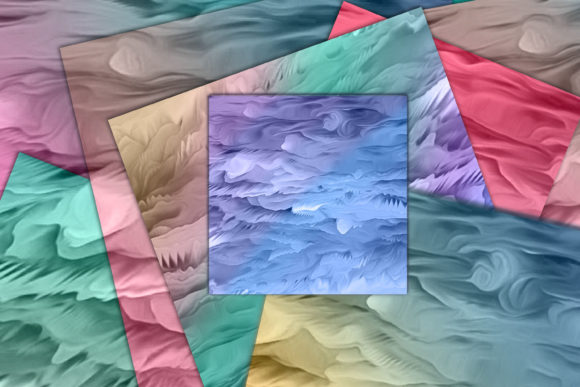
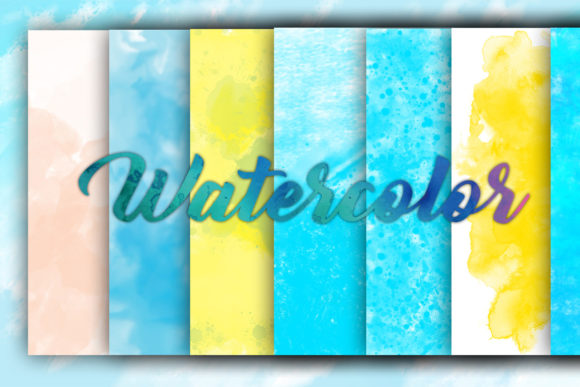
A typical Watercolor Background Bundle is not merely a set of flat colors; it is a collection of high-resolution digital files derived from traditional media. The core value proposition lies in the authenticity of the source material. These elements are created using actual watercolor brushes on paper, then scanned and digitized. This process preserves the organic irregularities, pigment granulation, and soft edges that are difficult to replicate perfectly with standard digital filters.
For instance, a standard bundle might include eight distinct JPG files, each offering a unique composition or texture. The technical quality is paramount here. With resolutions up to 5000px by 5000px and a density of 300 DPI (dots per inch), these files are print-ready. This specification ensures that whether you are designing a large-format wedding invitation or a detailed greeting card, the image will remain crisp without pixelation. Understanding these technical baselines helps designers assess whether the asset meets the rigorous demands of commercial printing versus screen-only display.
Comparing Pre-Made Bundles to Custom Creation
When deciding whether to purchase a Watercolor Background Bundle or create original artwork, designers must weigh time against uniqueness. Creating custom watercolor art requires significant skill, specialized materials, and, most importantly, time. You must account for drying times, scanning, cleaning up dust spots, and color correcting. For a freelancer working on a tight deadline, this process can be prohibitive.
Conversely, using a pre-made bundle offers immediate access to professional-grade textures. The tradeoff is exclusivity. Since these bundles are available for purchase by multiple users, there is a possibility that another designer may use a similar element. However, for many applications—such as background layers, subtle overlays, or thematic accents—this lack of total exclusivity is negligible. The key is how you integrate the asset. By combining these watercolor elements with typography, vector shapes, and other graphic components, you create a unique final product even if the base layer is shared.
When to Choose Digital Bundles
- Tight Deadlines: When client turnaround times do not allow for the creation of original hand-painted assets.
- Budget Constraints: Hiring a professional watercolor artist can be expensive; a bundle provides a cost-effective alternative for small businesses.
- Consistency Needs: If you need a cohesive look across multiple items, such as a suite of wedding stationery, a single bundle ensures color and style harmony.
When to Opt for Custom Art
- Brand Identity: If the watercolor element is the central logo or primary brand mark, custom work is essential to avoid generic associations.
- Specific Color Matching: While digital files can be adjusted, matching a very specific corporate Pantone color is easier when painting from scratch than trying to shift the hue of a complex textured scan.
- Unique Subject Matter: If you require a very specific subject, such as a particular breed of dog or a niche architectural landmark, a general bundle may not contain the necessary imagery.
Practical Applications and Use Cases
The versatility of a Watercolor Background Bundle extends far beyond simple backgrounds. Because the files are high-resolution and often feature transparent or soft edges, they can be manipulated in various ways. Here are several practical scenarios where these assets excel:
Wedding and Event Stationery: This is perhaps the most common use case. The soft, romantic nature of watercolor complements the elegance of wedding invitations, save-the-dates, and menu cards. Designers can place text over lighter areas of the watercolor wash, ensuring readability while maintaining an artistic flair. The organic feel adds a personal touch that resonates with the emotional significance of such events.
Greeting Cards and Social Media Graphics: For holiday cards, birthday invitations, or Instagram posts, watercolor elements add visual interest without overwhelming the message. They work particularly well for themes involving nature, such as watercolor flowers, seasonal landscapes, or abstract splashes that evoke mood rather than depict specific objects.
Digital Products and Printables: Entrepreneurs selling digital planners, journals, or printable art often use these bundles to create appealing covers and interior pages. The high resolution allows for zooming in on details, which is crucial for customers who may print these items at home.
Technical Considerations and Limitations
While the benefits are clear, it is important to acknowledge the limitations of working with raster-based JPG files. Unlike vector graphics, which can be scaled infinitely without loss of quality, JPGs have a fixed resolution. Although 5000px is substantial, it is not infinite. Designers must be mindful of scaling; enlarging the image beyond its native dimensions will result in blurriness.
Additionally, JPG files do not support transparency. This means that if the watercolor element has a white background, you cannot simply place it over a colored background in your design software without using blending modes or masking techniques. Users should be comfortable with tools like Photoshop, Canva, or Procreate to effectively isolate the watercolor textures from their backgrounds. If you are a beginner, learning how to use "Multiply" or "Screen" blending modes will significantly enhance your ability to integrate these assets seamlessly.
Another consideration is color variation. Watercolor is inherently unpredictable, and digital scans may look slightly different on various monitors. It is advisable to order a physical proof if you are printing high-stakes materials like wedding invitations, to ensure the colors match your expectations.
Making an Informed Decision
Choosing the right design resources is about fitting the tool to the task. A Watercolor Background Bundle is an excellent investment for designers who need efficient access to high-quality, organic textures. It bridges the gap between the warmth of traditional art and the efficiency of digital design. However, it is not a substitute for custom illustration when unique, brand-specific imagery is required.
Before purchasing, consider your technical comfort level. Are you able to manipulate JPGs and use blending modes? Do your projects require print-ready resolution? If the answer is yes, then a bundle offering 300 DPI files up to 5000px is a robust solution. If you require editable vectors or transparent PNGs, you may need to look for different file formats or additional conversion steps.
Ultimately, the value of these bundles lies in their ability to inspire and accelerate. They provide a foundation upon which you can build more complex designs, allowing you to focus on layout, typography, and messaging rather than spending hours painting individual strokes. For those looking to elevate their graphic projects with a touch of handmade charm, exploring a curated watercolor collection is a practical and creative step forward.
If you have specific questions about file compatibility or usage rights, always reach out to the creator directly. Clear communication ensures that you get the most out of your purchase and avoid any licensing misunderstandings. Thank you for considering how these tools can enhance your creative workflow.