Master the Multi Sketch Photoshop Action
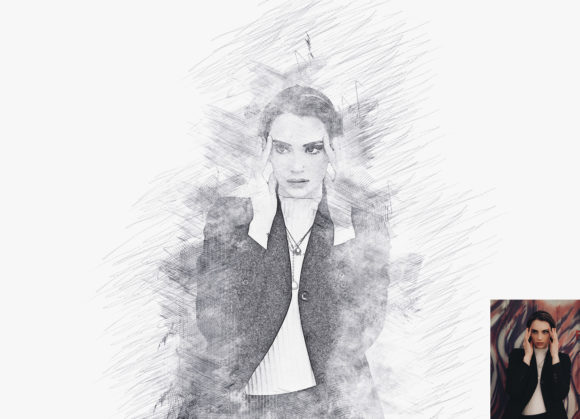
In the fast-paced world of digital content creation, standing out requires more than just high-resolution imagery. It demands style, personality, and a distinct visual voice. This is where the Multi Sketch Photoshop Action becomes an indispensable tool for designers, marketers, and creative entrepreneurs. Unlike standard filters that apply a blanket effect, this professional pack transforms ordinary photographs into extraordinary, hand-drawn illustrations with a level of depth and customization that feels genuinely artistic.
The appeal of the sketch aesthetic lies in its ability to humanize digital media. In an era saturated with polished, hyper-realistic stock photography, a sketched image conveys warmth, creativity, and approachability. The Multi Sketch Photoshop Action leverages this psychological impact by converting your photos into realistic multi-layered sketches. Whether you are working on social media graphics, editorial design, or brand identity materials, this tool allows you to maintain a consistent, professional look without spending hours manually drawing over images.
Understanding the Visual Appeal and Workflow
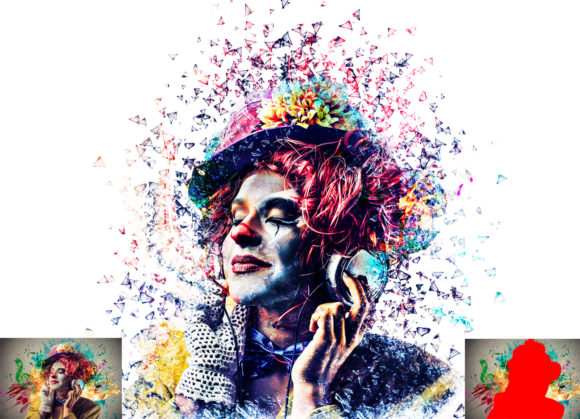
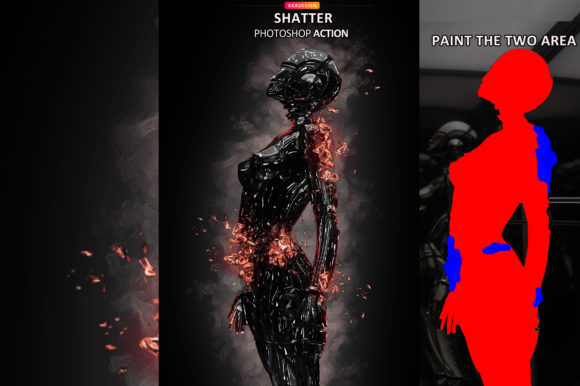
What sets this action apart from generic plugins is its non-destructive nature and ease of customization. When you apply the Multi Sketch Photoshop Action, you are not locking yourself into a single, rigid outcome. Instead, you gain access to a flexible workflow that respects your original image data. The process is designed to be intuitive, even for those who may not consider themselves expert Photoshop users. The core instruction is simple yet effective: open your photo, create a new layer, rename it “paint” in lowercase, and use a brush to define the areas you want emphasized. This step gives you control over the focal point of the sketch, ensuring that the final result highlights exactly what matters most in your composition.
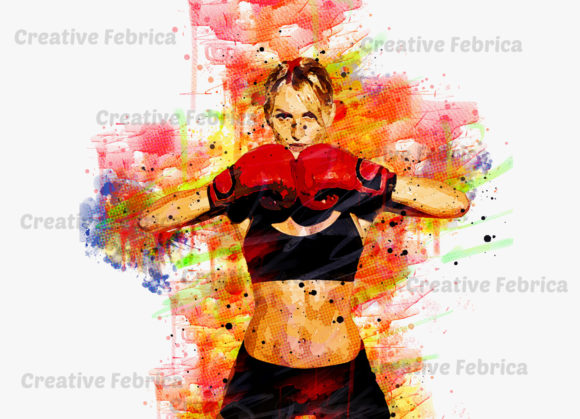
Once the painting layer is set and hidden, clicking the play button initiates the transformation. The action generates organized layers, allowing you to tweak individual elements if needed. One of the most significant features is the inclusion of ten different color options. This variety means you can match the sketch to your brand’s color palette or the mood of the project instantly. For instance, a monochrome black-and-white sketch might suit a minimalist logo design concept, while a vibrant, colored sketch could energize a promotional flyer. The ability to change colors easily ensures that the asset remains versatile across different campaigns and platforms.
Compatibility is another crucial factor for professionals managing diverse software environments. This action has been rigorously tested and confirmed to work on Photoshop English versions from CS5.5 up to CC2020. This broad support ensures that whether you are using a legacy system or the latest creative cloud suite, the Multi Sketch Photoshop Action integrates seamlessly into your existing toolkit. The package includes not only the ATN files but also specific brushes, a PDF help file, and a user guide, making installation and usage straightforward.
Strategic Applications Across Creative Industries
The versatility of this tool extends far beyond simple photo editing. For brand strategists and marketers, consistency is key to building recognition. Using a unique sketch style across your web design, packaging, and print materials creates a cohesive brand identity. Imagine a coffee shop using sketched images of their beans and cups on their packaging; it evokes an artisanal, handcrafted feel that resonates with customers seeking authenticity. Similarly, a tech startup might use clean, precise sketches to illustrate complex concepts in their whitepapers, making dense information more digestible and engaging.
In the realm of publishing and editorial design, the Multi Sketch Photoshop Action offers a sophisticated alternative to traditional photography. Magazines and blogs often struggle with licensing costs and the generic look of stock images. By transforming exclusive photos into sketches, publishers can create unique visuals that complement their typography and layout without legal hurdles. This approach works particularly well for opinion pieces, lifestyle articles, and feature stories where a personal touch enhances the narrative. The sketch effect adds a layer of interpretation, inviting readers to engage with the content on a more emotional level.
For small business owners and crafters, this action is a cost-effective way to produce high-quality marketing assets. You do not need to hire an illustrator to create custom visuals for your Instagram feed or email newsletters. With the right source photo, you can generate professional-grade images in minutes. The recommended image size of 2000x3000 or 3000x2000 pixels at 72 DPI ensures that the output is crisp enough for digital display and suitable for standard print applications. This efficiency allows entrepreneurs to focus on strategy and customer engagement rather than getting bogged down in technical design tasks.
Maximizing Impact with Practical Design Tips
To get the best results from the Multi Sketch Photoshop Action, start with high-contrast images. Photos with clear subjects and distinct lighting tend to translate better into sketch formats because the action relies on tonal variations to create lines and shading. Avoid overly busy backgrounds, as they can clutter the sketch and reduce readability. If your source image is complex, consider using the “paint” layer to mask out distracting elements, directing the viewer’s eye to the main subject.
When integrating these sketches into your broader design projects, think about font pairing and visual hierarchy. A rough, textured sketch pairs beautifully with clean, modern sans serif font choices, creating a balanced contrast between organic and structured elements. Conversely, if you are aiming for a vintage or rustic feel, combining the sketch with a classic serif font or a subtle handwritten font can enhance the nostalgic atmosphere. Always test your combinations to ensure that the text remains legible against the sketched background. Adjusting opacity or adding solid color blocks behind text can help maintain clarity.
It is also important to consider the context of your audience. While sketches are engaging, they should not compromise the professionalism of your message. Use the Multi Sketch Photoshop Action to highlight key products, team members, or testimonials, but rely on clean layouts and clear typography for essential information. The goal is to enhance communication, not obscure it. By treating the sketch as a complementary design element rather than the sole focus, you create a harmonious composition that guides the viewer through your content effortlessly.
Finally, take advantage of the support and resources included with the action. The provided help files and 24-hour support channel are valuable assets if you encounter any issues or have questions about advanced customization. Exploring the included brushes can also open up new creative possibilities, allowing you to refine the initial paint layer for more nuanced results. Remember, the power of this tool lies in its flexibility. Experiment with different color options, brush strokes, and source images to discover the unique style that best represents your brand or creative vision. With practice, the Multi Sketch Photoshop Action will become a staple in your design workflow, enabling you to produce distinctive, high-impact visuals with confidence and ease.