Evaluating the Watercolor Portrait Effect Photoshop Action for Digital Artists
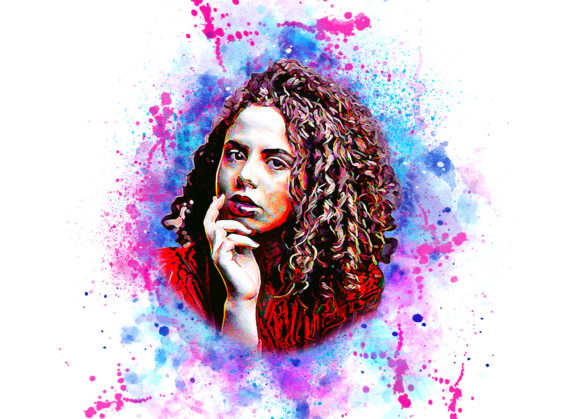
For photographers and graphic designers seeking to transform standard portraits into artistic compositions, automated tools offer a compelling balance between efficiency and creativity. The Watercolor Portrait Effect Photoshop Action is a digital asset designed to streamline this transformation process. Rather than manually painting over photographs layer by layer—a task that requires significant time and advanced artistic skill—this action applies a complex series of adjustments and filters automatically. Understanding how this tool functions, its technical requirements, and its limitations is essential for determining whether it aligns with your workflow and creative goals.
Understanding the Tool and Its Workflow
At its core, this product is an Adobe Photoshop Action file (ATN), which records a sequence of commands that can be played back on any compatible image. The primary appeal of the Watercolor Portrait Effect Photoshop Action lies in its non-destructive nature. Non-destructive editing ensures that the original image data remains intact, allowing users to tweak opacity, blend modes, or specific layers after the effect has been applied. This flexibility is crucial for professional workflows where client revisions are common.
The operational process involves specific preparatory steps that users must follow to achieve optimal results. The documentation emphasizes the importance of image preparation. Before running the action, users are advised to resize their canvas to 2000x2000 pixels at 72 DPI using the crop tool. This standardization helps the action’s algorithms apply brush strokes and color blends consistently. Furthermore, the workflow requires the user to create a new layer named “paint” in lowercase letters. On this layer, the user applies soft brush strokes over the subject. This step is critical because the action uses this manual input to determine where the watercolor effects should be most prominent, effectively guiding the software’s interpretation of the image’s focal points.
Customization and Creative Control
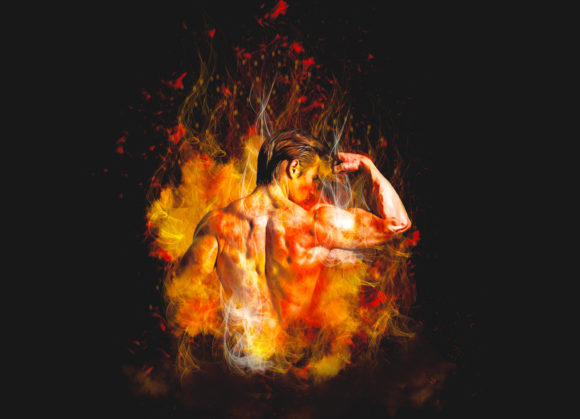
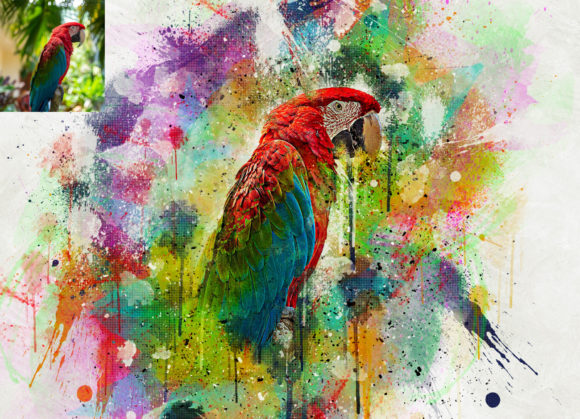
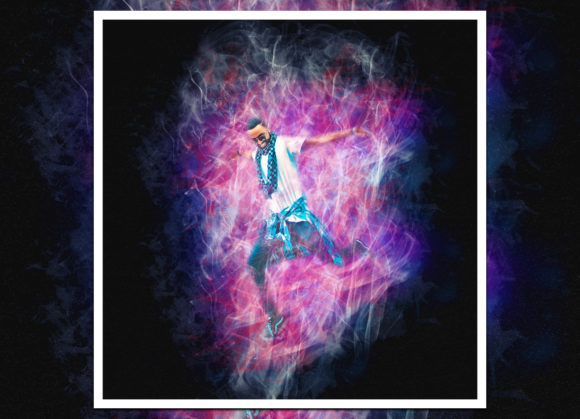
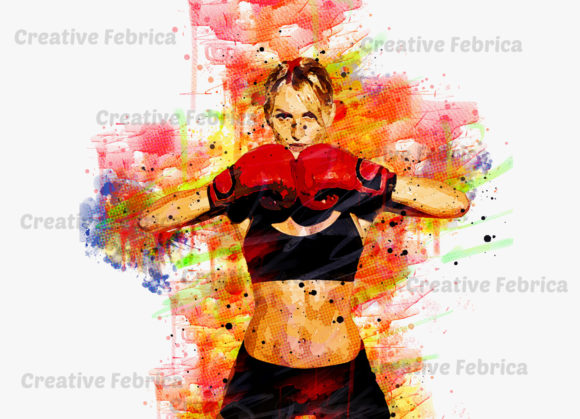
One of the significant advantages of this specific action set is the variety of output options. It includes twenty different color variations, providing a broad spectrum of aesthetic choices without requiring the user to adjust individual hue and saturation sliders manually. This feature allows designers to quickly test different moods—from warm, earthy tones to cool, vibrant palettes—to see which best complements the source photograph.
The inclusion of custom brushes further enhances the toolkit. These brushes are designed to mimic the texture and flow of real watercolor paint, adding organic imperfections that digital filters often lack. When combined with the action, these elements help create a result that feels less like a computer-generated filter and more like a hand-painted illustration. However, the quality of the final output is heavily dependent on the initial “paint” layer. Users who take time to carefully map out light and shadow areas on this layer will generally achieve more nuanced and realistic results than those who apply broad, indiscriminate strokes.
Technical Compatibility and Requirements
Before purchasing or downloading any digital asset, verifying software compatibility is vital. This Watercolor Portrait Effect Photoshop Action is tested and confirmed to work with a wide range of Adobe Photoshop versions, including CS4, CS5, CS5.5, CS6, and the Creative Cloud suite from CC2014 through CC2020. It is specifically noted for use with the English version of the software. Users operating older versions or non-English interfaces may encounter errors during playback, as actions often rely on specific menu names and layer structures that vary across languages and updates.
The package typically includes the ATN file, the custom brush set, and a PDF help file. The presence of a detailed help guide is a positive indicator, as it suggests the developer anticipates user questions regarding installation and troubleshooting. For beginners, reading the “Read Me First” document is recommended to avoid common pitfalls, such as incorrect layer naming or improper image resolution, which can cause the action to fail or produce distorted outputs.
Ideal Use Cases and Limitations
This tool is particularly well-suited for photographers who want to offer artistic prints without investing hundreds of hours in learning traditional digital painting techniques. It is also valuable for social media content creators who need to produce visually striking images quickly. The ability to batch-process or rapidly iterate through twenty color options makes it efficient for high-volume work.
However, there are tradeoffs to consider. Automated actions, by definition, apply a generalized solution to unique images. While the “paint” layer adds a degree of customization, the underlying algorithm remains fixed. For high-end commercial projects requiring precise control over every brushstroke and texture nuance, a manual approach or a more advanced plugin might be necessary. Additionally, the requirement to resize images to a specific dimension (2000x2000px) may be inconvenient for users working with large-format prints or specific aspect ratios that do not fit this square format. Cropping to this size may result in the loss of important compositional elements.
Making an Informed Decision
When evaluating whether the Watercolor Portrait Effect Photoshop Action is right for you, consider your current skill level and time constraints. If you are proficient in Photoshop but find manual painting tedious, this action serves as an excellent accelerator. It handles the technical heavy lifting of blending modes, filter galleries, and texture overlays, allowing you to focus on composition and color selection.
Conversely, if you are looking for a one-click solution that requires no input, this tool may not meet your expectations. The necessity of creating and painting on the “paint” layer means that some effort is still required. Users unwilling to engage with this step may find the results lacking in depth or accuracy. Furthermore, those using very recent versions of Photoshop beyond CC2020 should verify compatibility, as Adobe occasionally changes how actions interact with newer features.
In summary, this action represents a practical middle ground between fully manual digital art and simplistic filters. It offers a structured, non-destructive workflow that can significantly enhance portrait photography with a watercolor aesthetic. By understanding the preparation requirements and leveraging the included color options, users can integrate this tool into their creative pipeline effectively, achieving unique and professional-looking results with greater efficiency.