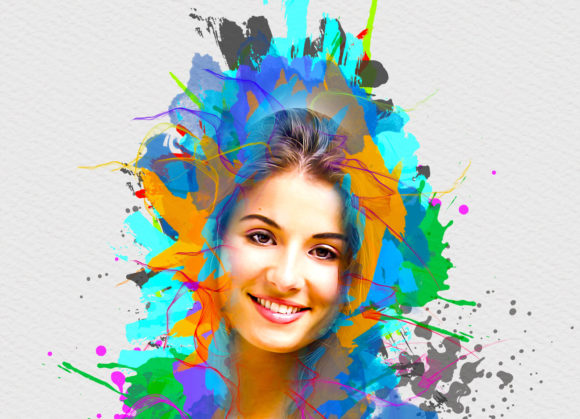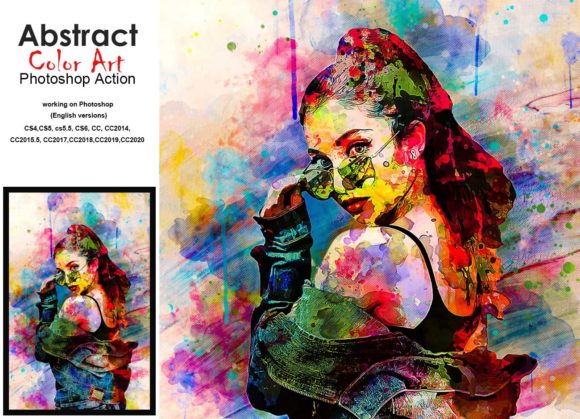
Transform Photos with Abstract Colorful Art PS Action
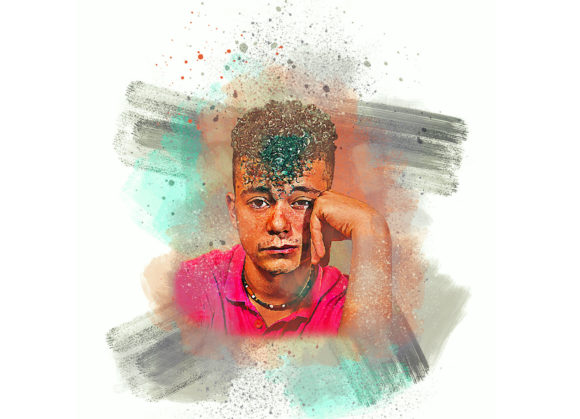
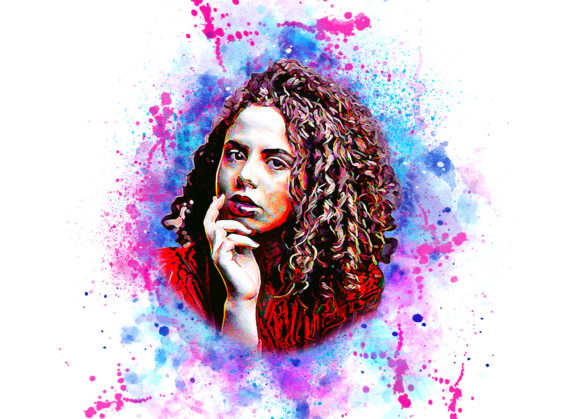
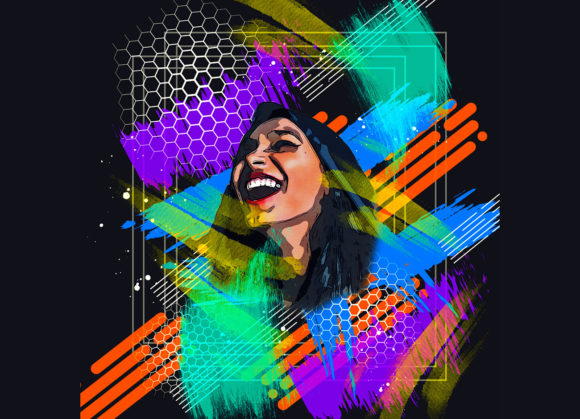
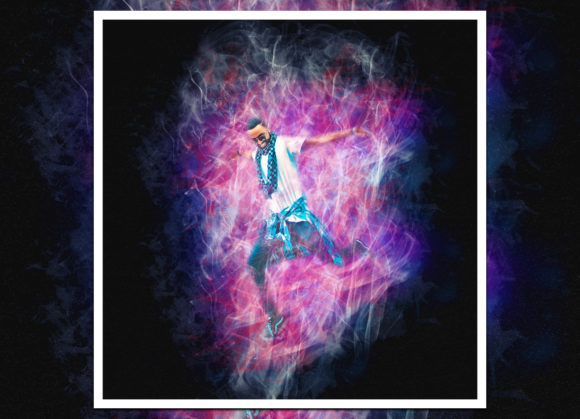
Digital art does not always require years of training in painting or complex manual editing techniques. Sometimes, the most striking visual results come from smart tools that streamline the creative process. The Abstract Colorful Art PS Action is designed specifically for this purpose. It transforms standard photographs into vibrant, abstract masterpieces with just a few clicks. This tool bridges the gap between traditional photography and digital painting, allowing users to experiment with color and texture without starting from scratch.
For photographers, graphic designers, and social media content creators, maintaining a fresh aesthetic can be challenging. This action offers a non-destructive workflow, meaning your original image remains untouched while you explore new artistic directions. Whether you are looking to create eye-catching blog headers, unique album covers, or simply want to add a splash of creativity to personal projects, this tool provides a reliable and efficient solution.
How the Transformation Process Works
Understanding how to use this tool effectively ensures you get the best possible results. The process is straightforward but requires attention to specific steps to function correctly. The action is built to work seamlessly within Adobe Photoshop, supporting a wide range of versions from CS4 up to CC2020. This broad compatibility makes it accessible to both long-time users of older software and those on the latest updates.
To begin, you need to prepare your workspace properly. Open your chosen photo in Photoshop. The first critical step is creating a new layer and renaming it “brush” in lowercase letters. This naming convention is essential because the action script looks for this specific label to apply effects accurately. Once the layer is named, select a soft brush and gently paint over the areas of the image where you want the abstract colors to appear. You do not need to be precise; broad strokes often yield more organic and natural-looking results.
After brushing, hide the visibility of the brush layer by clicking the eye icon. Select your background layer, which contains the original photo, and then press the play button on the action panel. The script will automatically process the image, using the brush strokes as a guide to generate colorful, abstract patterns. The result is a high-quality, artistic interpretation of your original photograph.
Customization and Creative Control
One of the standout features of the Abstract Colorful Art PS Action is its flexibility. While the automation handles the heavy lifting, you retain significant control over the final look. The action includes ten different color options, which become available when you open the unviewed eye layers in the generated group. This allows you to cycle through various palettes until you find one that matches your vision or brand identity.
Changing the brush color is also remarkably easy. If the default tones do not suit your image, you can adjust them before running the action or tweak the resulting layers afterward. Because the workflow is non-destructive, you can experiment freely. If a particular color scheme feels too bold or too subtle, you can adjust opacity, blending modes, or hue settings without compromising the integrity of the original file. This level of customization ensures that no two outputs look exactly alike, even when using the same source photo.
Ideal Use Cases for Digital Creators
This tool is versatile enough to support a variety of professional and personal projects. For marketers and small business owners, creating unique visual assets is crucial for standing out in crowded social media feeds. An abstract, colorful background can make text pop in Instagram stories or Facebook ads. Instead of searching for stock images that everyone else uses, you can create proprietary visuals that align perfectly with your campaign’s mood.
Educators and bloggers can also benefit significantly. When writing about creative topics, psychology, or innovation, abstract imagery often conveys concepts better than literal photographs. Using this action, you can turn a simple portrait or landscape into a metaphorical piece that enhances your written content. It adds a layer of sophistication and intrigue that keeps readers engaged.
Freelance designers may find this action useful for rapid prototyping. When brainstorming concepts for clients, being able to generate multiple artistic variations quickly allows for more productive discussions. You can present different color moods and styles in minutes rather than hours, helping clients visualize the potential direction of a project.
Technical Requirements and Best Practices
To ensure smooth performance and high-quality output, there are a few technical considerations to keep in mind. The action works best with high-resolution images. It is recommended to use photos that are at least 2000x3000 pixels. Lower resolution images may result in pixelation or a loss of detail when the abstract effects are applied. High-quality input leads to high-quality results, so always start with the sharpest photo available.
The package includes several essential files to support your workflow. You will receive the ATN file for the action itself, custom brushes, patterns, a PDF "Read Me First" guide, and a help file. These resources are designed to make installation and usage as seamless as possible. Even if you are new to Photoshop actions, the included documentation provides clear instructions to get you started without confusion.
It is important to note that preview images are not included in the download. This means you will need to test the action on your own photos to see the specific results. However, given the non-destructive nature of the tool, testing is risk-free. You can try it on various portraits, landscapes, and urban shots to understand how different subjects react to the abstract filters.
Why Choose This Action?
In a digital landscape filled with complex plugins and expensive software suites, the Abstract Colorful Art PS Action stands out for its simplicity and effectiveness. It does not require you to learn new software or master intricate manual painting techniques. Instead, it leverages the power of Photoshop’s existing engine to deliver professional-grade artistic effects instantly.
For beginners, it serves as an excellent introduction to digital art manipulation. For professionals, it is a time-saving asset that expands their creative toolkit. The ability to produce unique, colorful, and abstract visuals with minimal effort makes it a valuable addition to any designer’s library. By combining ease of use with deep customization options, this action empowers users to express their creativity without technical barriers.
Whether you are enhancing a personal portfolio, designing commercial materials, or simply exploring digital art for fun, this tool provides the flexibility and quality needed to bring your ideas to life. With support for a wide range of Photoshop versions and a user-friendly setup, it is an accessible solution for anyone looking to add a burst of abstract color to their work.