Transforming Reality: A Deep Dive into the Abstract Portrait Photoshop Action
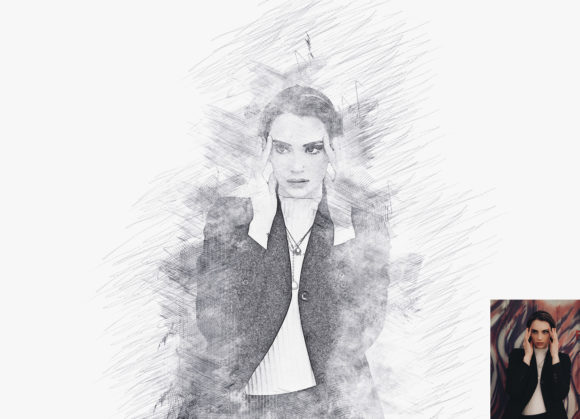
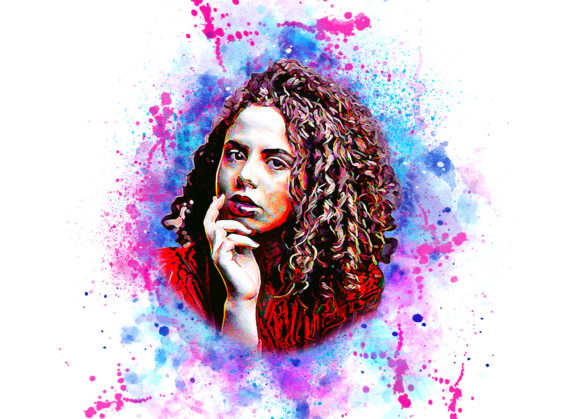
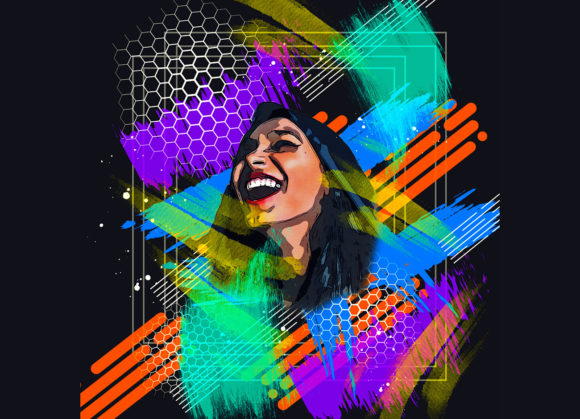
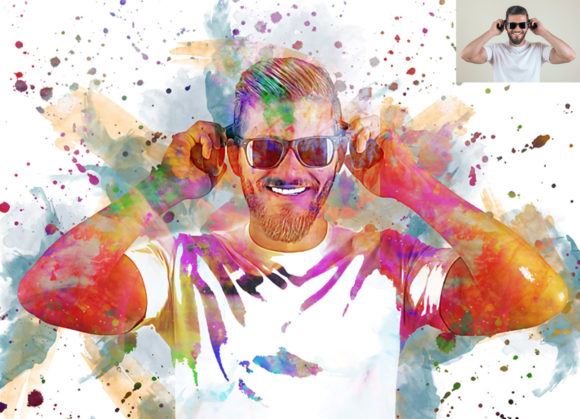
Digital portraiture has evolved far beyond simple retouching and color correction. Today, there is a growing demand for imagery that bridges the gap between photography and fine art, capturing not just the likeness of a subject but their essence through texture, color, and form. This is where the Abstract Portrait Photoshop Action becomes an indispensable tool for creatives. It is designed to transform standard photographs into striking abstract compositions, offering a non-destructive workflow that preserves the integrity of the original image while unlocking a new dimension of artistic expression.
For photographers, graphic designers, and digital artists, the pressure to produce unique, high-impact visuals is constant. Whether you are working on album covers, editorial spreads, or personal art projects, standing out requires more than just a good camera; it requires a distinct visual language. This action provides that language by automating complex blending and texturing processes, allowing users to achieve professional-grade abstract effects in seconds rather than hours.
Bridging Photography and Digital Art
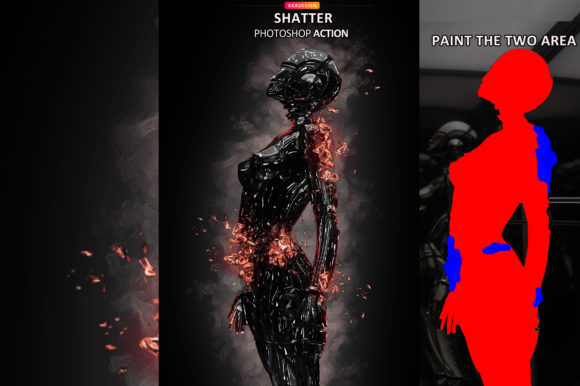
The primary appeal of this tool lies in its ability to democratize high-end digital art techniques. Traditionally, creating an abstract portrait involved manual layering, intricate mask painting, and extensive knowledge of blend modes. With the Abstract Portrait Photoshop Action, these technical barriers are removed. The process is intuitive: you open your photo, create a new layer named “brush” in lowercase, select a soft brush, and paint over the areas you wish to transform. Once you hide the brush layer and play the action, the software handles the heavy lifting.
This workflow is particularly beneficial for photographers who want to expand their service offerings without investing years in learning advanced digital painting techniques. It allows for rapid experimentation. Since the effect is non-destructive, you can toggle the visibility of layers, adjust opacity, or revert changes entirely, ensuring that the original photograph remains untouched. This safety net encourages creativity, as users feel free to push boundaries without the fear of ruining their source files.
Versatility Across Industries and Use Cases
The applications for abstract portraits are vast, extending well beyond personal art projects. In the music industry, for instance, album artwork and promotional materials often rely on surreal, emotive imagery to convey the mood of the music. An abstract portrait can capture the energy of a rock band or the introspection of a solo artist more effectively than a standard headshot. By utilizing the ten different color options available within the action, designers can match the visual tone precisely to the audio experience, creating a cohesive brand identity for the musician.
Fashion and editorial media also benefit significantly from this technology. Magazines and online publications are constantly seeking fresh visual styles to engage readers. Abstract portraits add a layer of sophistication and mystery to fashion spreads, turning a simple model shot into a conceptual piece. The ability to easily change brush colors means that art directors can align the imagery with seasonal color palettes or specific campaign themes without needing to reshoot. This flexibility saves time and resources, making it a practical solution for fast-paced editorial environments.
Furthermore, corporate branding and advertising agencies can use these abstract effects to create unique social media content. In a feed saturated with polished, realistic images, an abstract portrait stops the scroll. It invites viewers to look closer and interpret the image, driving higher engagement rates. For businesses looking to humanize their brand while maintaining an avant-garde aesthetic, this tool offers a perfect balance between recognizability and artistic flair.
Technical Compatibility and Ease of Use
One of the strongest aspects of this action is its broad compatibility. It supports a wide range of Adobe Photoshop versions, from CS4 up to CC2020. This inclusivity ensures that professionals using older, stable versions of the software can still access modern creative tools. Whether you are working on a legacy system in a studio or the latest Creative Cloud setup on a laptop, the action performs consistently. The requirement for the English version of the software is a minor constraint, but one that is standard for most third-party actions due to script localization issues.
The package includes not just the ATN file, but also custom brushes, patterns, a PDF read-me file, and a help file. These additional resources are crucial for maximizing the potential of the action. The included brushes allow for precise control over where the abstract effect is applied, while the patterns add depth and texture to the final output. For users who may be unfamiliar with how actions work, the documentation provides clear guidance, reducing the learning curve and ensuring a smooth initial experience.
Optimizing Results for Professional Quality
While the action is easy to use, achieving the best results requires attention to detail. The recommendation to use images with a resolution of 2000x3000px is not arbitrary. Higher resolution images provide more data for the action to work with, resulting in sharper details and smoother gradients in the abstract elements. Low-resolution images may appear pixelated or lose definition when the abstract effects are applied, diminishing the overall impact.
Lighting and composition in the original photo also play a critical role. Photos with strong contrast and clear subjects tend to yield the most dramatic abstract results. Soft, diffused lighting can create ethereal, dreamlike effects, while harsh lighting can produce bold, graphic interpretations. Understanding how your source image interacts with the action allows you to predict and control the outcome better. It is advisable to test the action on a variety of photos to see how different lighting conditions and poses affect the final look.
Another consideration is the choice of color. The action offers ten different color options, accessible via the "unviewed eye" layer mechanism. Selecting the right color scheme can make or break the image. Complementary colors can create vibrancy and tension, while analogous colors offer harmony and calm. Users should experiment with these options to find the palette that best suits the emotional tone they wish to convey. The ability to change brush colors easily further enhances this customization, allowing for subtle tweaks that personalize the effect.
Limitations and Considerations
It is important to acknowledge that while this tool is powerful, it is not a magic wand that fixes poor photography. The quality of the output is directly linked to the quality of the input. Blurry or poorly lit photos will result in muddy abstract effects. Additionally, since preview images are not included in the download, users must rely on the description and their own experimentation to understand the full range of possibilities. This lack of visual previews can be a slight hurdle for new users, but it also encourages exploration and discovery.
Moreover, the abstract style may not be suitable for all contexts. Corporate headshots or legal documentation require realism and clarity, which this action intentionally obscures. Therefore, it is best reserved for creative projects where artistic interpretation is valued over literal representation. Understanding the appropriate context for use ensures that the tool is employed effectively and professionally.
In conclusion, the Abstract Portrait Photoshop Action is a versatile and efficient tool for anyone looking to inject creativity into their digital workflow. By simplifying complex techniques and offering extensive customization, it empowers users to create stunning, unique visuals across various industries. Whether you are a photographer looking to diversify your portfolio or a designer seeking fresh inspiration, this action provides the means to transform ordinary photos into extraordinary works of art.